Helping parents build emotionally stronger relationships through timely, personalised guidance
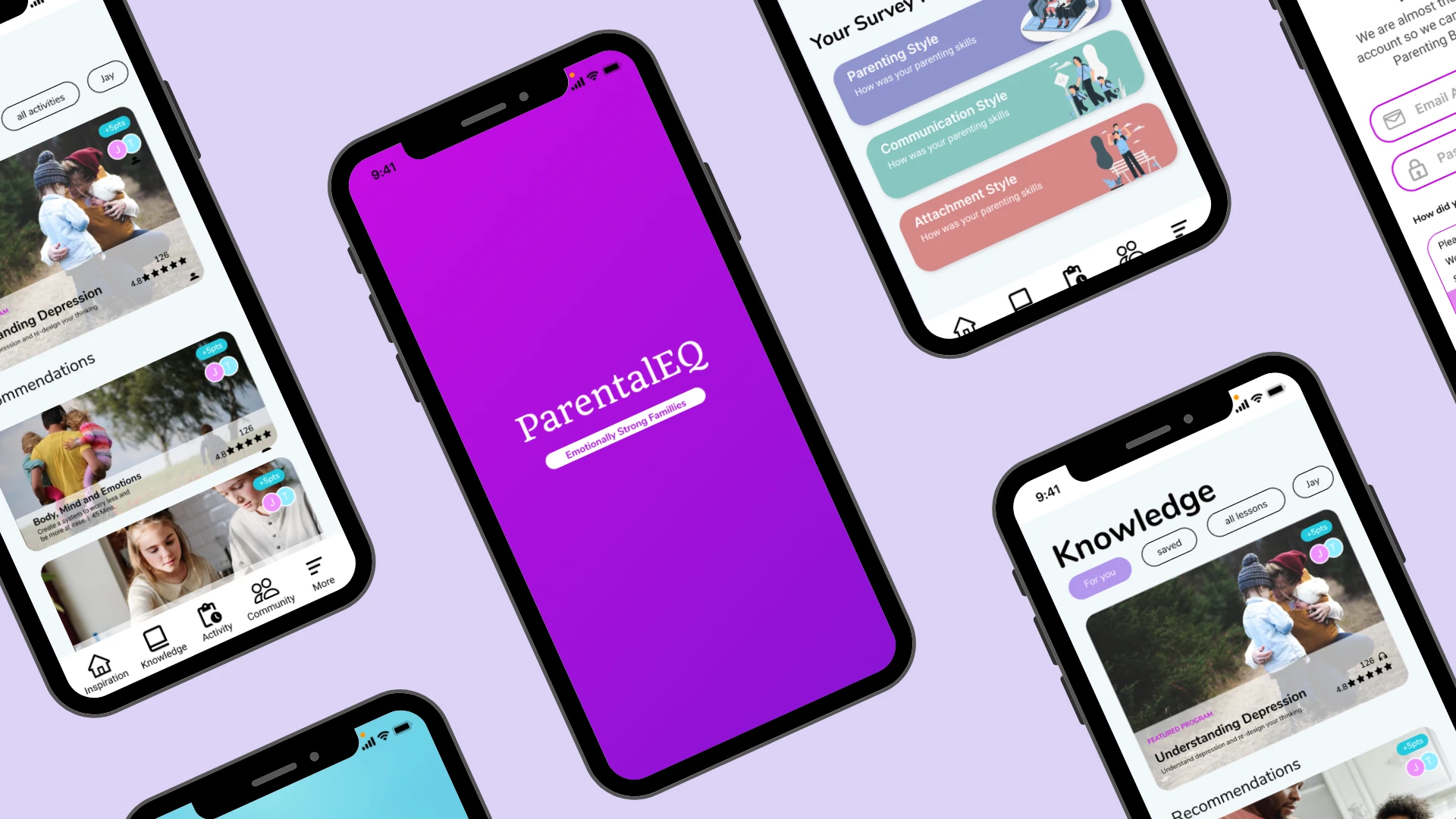
Parenting is one of the most rewarding yet emotionally demanding experiences. While many parents want to support their children's emotional wellbeing, they often struggle to recognise emotional cues or know how to respond during difficult moments.
Parental EQ is an early-stage startup exploring how technology can help parents build stronger emotional connections through guided conversations, daily reflection and personalised support.
As the Product Designer, my goal was to validate the product concept, define the MVP and design an experience that encouraged meaningful interactions without overwhelming parents.
Overview
Parental EQ is an early-stage startup focused on helping parents build stronger emotional connections with their children through guided conversations and daily emotional reflection.
Following the completion of the UX research and MVP definition, the project entered the UI design phase. My role was to transform the validated user flows into an intuitive, visually engaging and accessible mobile experience that aligned with the product vision.
Responsibilities
UI Design
Visual Design
Design System
High-fidelity Prototyping
Interaction Design
Developer Handoff
The Challenge
The UX team had already validated the MVP through research and established the core user journeys. My challenge was to translate those journeys into an interface that parents would feel comfortable using during emotionally sensitive moments.
The design needed to:
Create a calm and reassuring experience.
Build trust through approachable visual design.
Reduce cognitive load with clear layouts and intuitive navigation.
Establish a scalable design system for future product growth.
Ensure accessibility across all key interactions.
Design Goal
Design an interface that supports parents during emotional conversations by making every interaction feel simple, welcoming and easy to understand.
Design Process
Translating UX into a Visual Experience
Working from the approved wireframes and user flows, I explored different visual directions to find a balance between professionalism and warmth.
The final direction used soft colours, generous white space and rounded components to create an experience that felt supportive rather than clinical.
Building the Design System
To ensure consistency across the MVP, I created a reusable design system that included:
Colour palette and accessibility guidelines
Typography hierarchy
Buttons and form components
Cards and navigation patterns
Icons and illustrations
Spacing and layout rules
Building reusable components improved consistency across screens and provided a strong foundation for future iterations.
Designing Key Screens
Onboarding
The onboarding experience introduces the purpose of the app in a simple and approachable way, helping parents understand the value of the product before beginning their first emotional check-in.
Daily Emotional Check-in
The interface focuses on one primary task at a time, allowing parents to complete reflections quickly without feeling overwhelmed.
Conversation Coach
Conversation prompts are presented using clear typography and supportive language, helping parents focus on meaningful interactions with their children.
Reflection Journal
The journal provides a clean and distraction-free space for parents to record thoughts and track personal growth over time.
Visual Refinement
Throughout the design process, I refined the interface to improve clarity, usability and consistency.
Improving Visual Hierarchy
Typography, spacing and colour contrast were adjusted to guide attention towards the most important actions on each screen.
Creating Consistency
Reusable components and standardised spacing created a cohesive experience across the entire application.
Designing for Accessibility
Accessibility considerations were incorporated throughout the interface by:
Using accessible colour contrast.
Creating large touch targets.
Maintaining consistent navigation patterns.
Supporting readability through clear typography and spacing.
Interaction Design
Micro-interactions and subtle animations were designed to provide clear feedback while maintaining a calm and reassuring user experience.
Reflection
Parental EQ strengthened my ability to translate an established UX strategy into a polished and scalable user interface.
One of the biggest lessons from this project was recognising how visual design influences user confidence. Small decisions, such as simplifying layouts, choosing supportive colours and creating consistent interaction patterns, helped reinforce the product's goal of making emotional conversations feel less intimidating.
Working within an existing UX framework also reinforced the importance of collaboration. By building on validated user flows and research insights, I was able to focus on crafting a visual experience that aligned with user needs while supporting future product growth through a reusable design system.
If the product continues to evolve, I would expand the design system, conduct accessibility testing with a wider range of users and introduce additional components to support new features as the platform grows.


